


AI Media Enhancement Suite
**Warlock-Studio** is a powerful, open-source desktop application for Windows that integrates state-of-the-art AI models for video and image enhancement. Inspired by the work of [Djdefrag](https://github.com/Djdefrag) on tools like **QualityScaler** and **FluidFrames**, this suite provides a unified, high-performance interface for upscaling, restoration, and frame interpolation.
Version 3.0 marks a major evolution, introducing **AI-powered face restoration**, a completely modernized user interface, and significant performance optimizations to deliver professional-grade results to everyone.
---
### ► Download Installer (v3.0)
Get the latest stable release from any of the following platforms:
---
## Key Features
- **State-of-the-Art AI Models**
A comprehensive suite including Real-ESRGAN, BSRGAN, IRCNN, **GFPGAN**, and **RIFE** for denoising, resolution enhancement, detail restoration, and smooth frame interpolation.
- **AI Face Restoration (New in v3.0)**
Restore and enhance faces in old, blurry, or low-quality photos and videos with the integrated GFPGAN model, bringing cherished memories back to life.
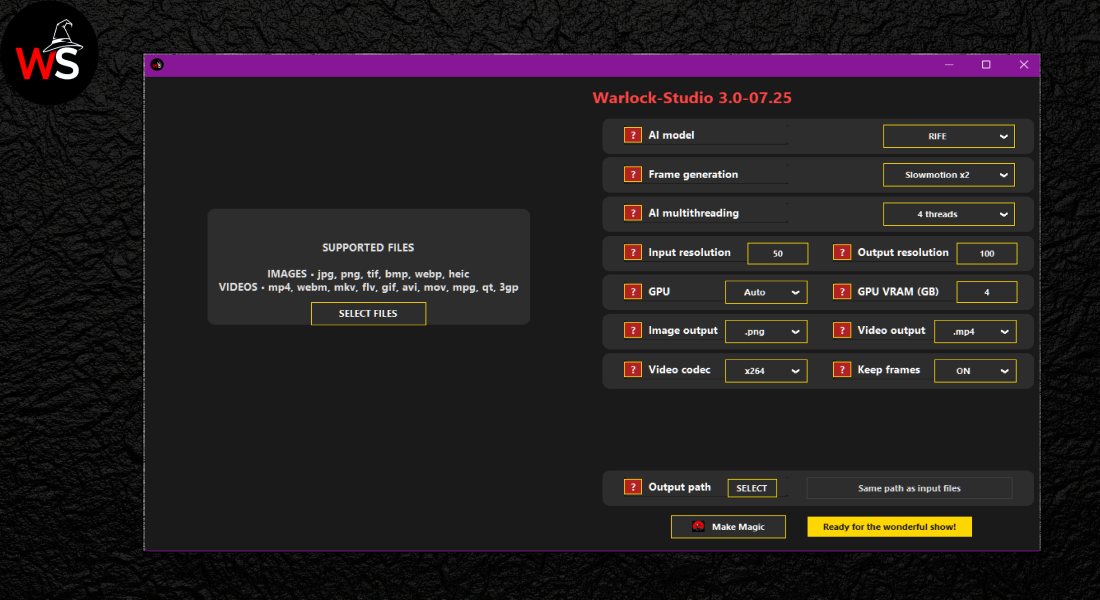
- **AI Frame Interpolation & Slow Motion**
Generate new in-between frames using RIFE to create ultra-smooth **2x, 4x, or 8x** motion or dramatic slow-motion effects.
- **Modern & Intuitive Interface**
Completely redesigned in v3.0 for a clean, efficient, and user-friendly experience for both beginners and professionals.
- **Batch Processing**
Simultaneously process multiple images or videos—ideal for large-scale media projects.
- **Customizable Workflows**
Choose your preferred AI model, output resolution, format (PNG, JPEG, MP4, etc.), and quality settings for full creative control.
- **Open-Source & Extensible**
Licensed under the MIT License. Contributions are welcome! Additional usage terms can be found in the `NOTICE.md` file.
---
## What's New in Version 3.0
- ✅ **AI Face Restoration:** Added support for the GFPGAN model, enabling powerful face enhancement and repair.
- ✅ **Modernized UI/UX:** Implemented a complete visual redesign with a new, professional color scheme and improved components like a dynamic splash screen and scrollable message boxes.
- ✅ **Performance Optimisation:** Enhanced memory efficiency by using contiguous arrays and refining data type handling during AI processing, leading to faster and more stable performance.
- ✅ **Improved Codebase Health:** Refactored the core logic to be more modular by encapsulating face restoration in its own class (`AI_face_restoration`), improving maintainability.
- ✅ **Increased Robustness:** Added explicit handling for images with transparency (BGRA) to ensure compatibility with models that require 3-channel input (BGR).
---
## Interface Previews
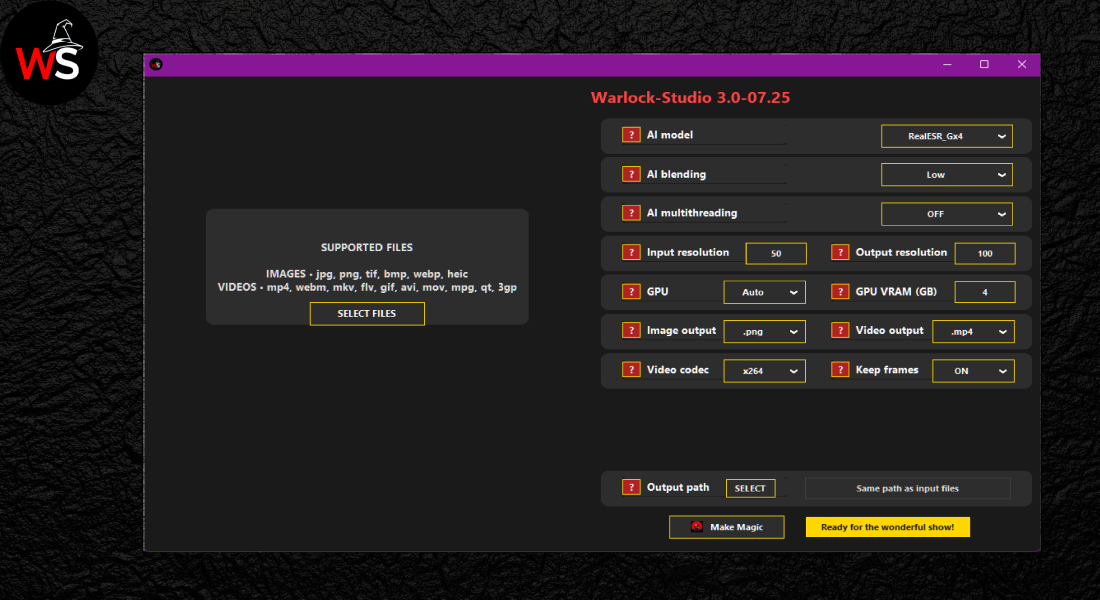
### 🔹 Main View (v3.0)
### 🔹 RIFE Option
---
## How to Use
1. **Run as Administrator** (optional but recommended for optimal performance).
2. **Load Your Media**: Select your images and videos to import them into the app.
3. **Configure Settings**:
- Select an **AI Model** (e.g., Real-ESRGAN, BSRGAN, GFPGAN, RIFE).
- Set the **input/output resolution**, **file format**, and toggle features like **interpolation** or **blending**.
4. **Start Processing**: Click **"Make Magic"** to begin the enhancement.
5. **Retrieve Your Files**: Processed outputs will be saved in your chosen destination folder.
---
## Quality Comparison
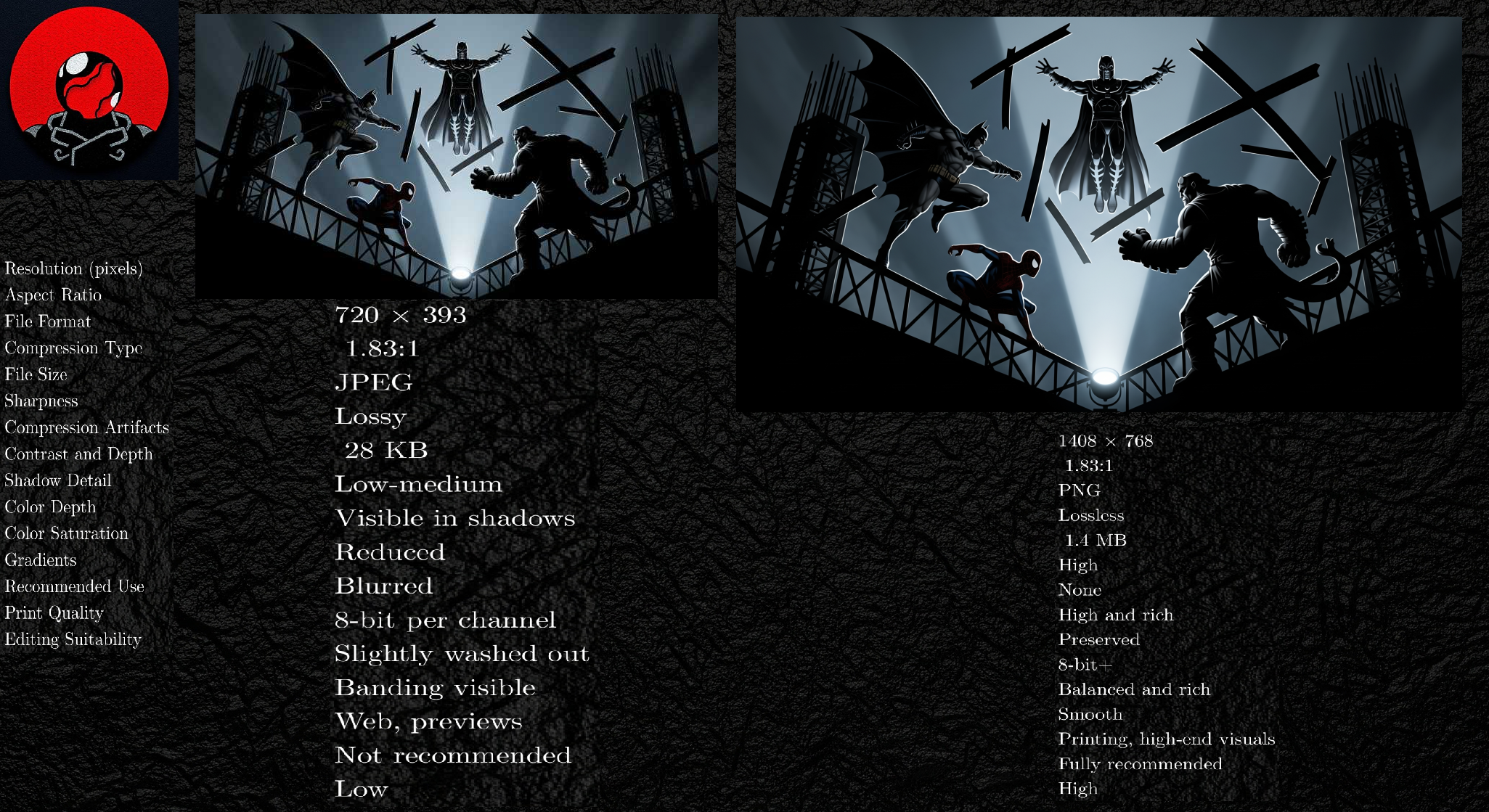
**Comparison of an enhanced image using the BSRGANx2 model**
---
## Installation
To get started with Warlock-Studio:
1. **Download the installer** from the links at the top of this document.
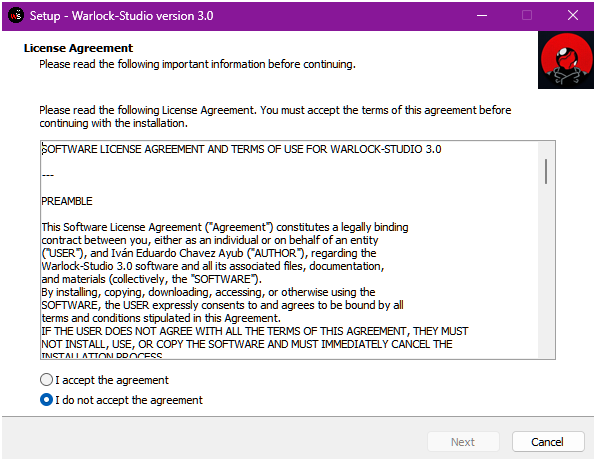
2. **Run the installer** and follow the setup instructions.
3. **Launch the application** from the Start Menu or desktop shortcut.
Warlock-Studio uses [PyInstaller](https://www.pyinstaller.org/) and [Inno Setup](http://www.jrsoftware.org/isinfo.php) for a seamless packaging and installation experience.
### Installation Window Previews
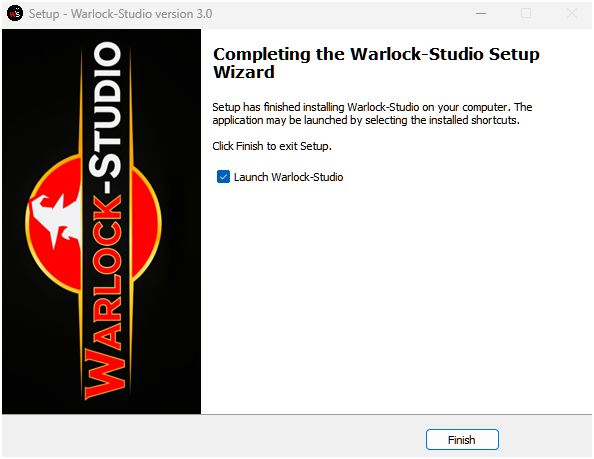
---
## System Requirements
- **Operating System:** Windows 10 or later (64-bit)
- **Memory (RAM):** 8 GB or more recommended
- **Graphics Card:** NVIDIA or DirectML-compatible GPU highly recommended for performance
- **Storage:** Sufficient disk space for input and output media files
---
## Development Status — v3.0-07.25
| Component | Status | Notes |
| :---------------------------------- | :---------------- | :--------------------------------------------------------------------------------- |
| **Upscaling Models (ESRGAN, etc.)** | 🟢 **Stable** | Fully integrated with dynamic VRAM recovery for enhanced stability. |
| **Face Restoration (GFPGAN)** | 🟢 **Stable** | New feature for high-quality face enhancement. |
| **Frame Interpolation (RIFE)** | 🟢 **Stable** | Includes slow-motion and intermediate frame generation capabilities. |
| **Batch Processing** | 🟢 **Stable** | Reliable processing with improved error handling and resource management. |
| **User Interface (UI/UX)** | 🟢 **Modernized** | Complete thematic redesign with a professional color palette and improved dialogs. |
| **GPU Management** | 🟢 **Optimized** | Dynamic VRAM error recovery and graceful hardware codec fallbacks. |
| **Installer and Packaging** | 🟢 **Stable** | Easy-to-use installer for Windows platforms. |
---
## Project Structure
```
Warlock-Studio/
├──AI-onnx/
│
└──├──BSRGANx2_fp16.onnx
├──BSRGANx4_fp16.onnx
├──GFPGANv1.4.fp16.onnx
├──IRCNN_Lx1_fp16.onnx
├──IRCNN_Mx1_fp16.onnx
├──RealESR_Animex4_fp16.onnx
├──RealESR_Gx4_fp16.onnx
├──RealESRGANx4_fp16.onnx
├──RealESRNetx4_fp16.onnx
├──RealSRx4_Anime_fp16.onnx
├──RIFE_fp32.onnx
└──RIFE_Lite_fp32.onnx
├──Assets/
│
└──├──banner.png
├──clear_icon.png
├──exiftool.exe
├──ffmpeg.exe
├──info_icon.png
├──logo.ico
├──logo.png
├──stop_icon.png
├──upscale_icon.png
├──wizard-image.bmp
└──wizard-small.bmp
├──rsc/
│
└──├──badge-color.png
├──Capture.png
├──CaptureRIFE.png
├──google_drive-logo.png
├──WorkflowBSRGAN.png
├──WorkflowIRCNN.png
├──WorkflowRealESRGAN.png
├──WorkflowRIFE.png
└──Installation_window2.png
├──Manual/
│
└──├──v3.0-User_Manual-EN.pdf
├──Manual_EN.tex
├──v3.0-User_Manual-ES.pdf
└──Manual_ES.tex
│
├──CHANGELOG.md
├──CODE_OF_CONDUCT.md
├──CONTRIBUTING.md
├──LICENSE
├──License.txt
├──NOTICE.md
├──README.md # This File
├──SECURITY.md
├──Setup.iss
├──Manual_ES.pdf
├──Manual_EN.pdf
├──Warlock-Studio.py # Main
└──Warlock-Studio.spec
```
---
## Integrated Technologies & Licenses
| Technology | License | Author / Maintainer | Source Code / Homepage |
| :------------ | :------------------------ | :-------------------------------------------------------- | :--------------------------------------------------------- |
| QualityScaler | MIT | [Djdefrag](https://github.com/Djdefrag) | [GitHub](https://github.com/Djdefrag/QualityScaler) |
| RealScaler | MIT | [Djdefrag](https://github.com/Djdefrag) | [GitHub](https://github.com/Djdefrag/RealScaler) |
| FluidFrames | MIT | [Djdefrag](https://github.com/Djdefrag) | [GitHub](https://github.com/Djdefrag/FluidFrames) |
| Real-ESRGAN | BSD 3-Clause / Apache 2.0 | [Xintao Wang](https://github.com/xinntao) | [GitHub](https://github.com/xinntao/Real-ESRGAN) |
| GFPGAN | Apache 2.0 | [TencentARC / Xintao Wang](https://github.com/TencentARC) | [GitHub](https://github.com/TencentARC/GFPGAN) |
| RIFE | Apache 2.0 | [hzwer](https://github.com/hzwer) | [GitHub](https://github.com/megvii-research/ECCV2022-RIFE) |
| SRGAN | CC BY-NC-SA 4.0 | [TensorLayer Community](https://github.com/tensorlayer) | [GitHub](https://github.com/tensorlayer/srgan) |
| BSRGAN | Apache 2.0 | [Kai Zhang](https://github.com/cszn) | [GitHub](https://github.com/cszn/BSRGAN) |
| IRCNN | BSD / Mixed | [Kai Zhang](https://github.com/cszn) | [GitHub](https://github.com/cszn/IRCNN) |
| Anime4K | MIT | [Tianyang Zhang (bloc97)](https://github.com/bloc97) | [GitHub](https://github.com/bloc97/Anime4K) |
| ONNX Runtime | MIT | [Microsoft](https://github.com/microsoft) | [GitHub](https://github.com/microsoft/onnxruntime) |
| PyTorch | BSD 3-Clause | [Meta AI](https://pytorch.org/) | [GitHub](https://github.com/pytorch/pytorch) |
| FFmpeg | LGPL / GPL (varies) | [FFmpeg Team](https://ffmpeg.org/) | [Official Site](https://ffmpeg.org) |
| ExifTool | Perl Artistic License | [Phil Harvey](https://exiftool.org/) | [Official Site](https://exiftool.org/) |
| DirectML | MIT | [Microsoft](https://github.com/microsoft/) | [GitHub](https://github.com/microsoft/DirectML) |
| Python | PSF License | [Python Software Foundation](https://www.python.org/) | [Official Site](https://www.python.org) |
| PyInstaller | GPLv2+ | [PyInstaller Team](https://github.com/pyinstaller) | [GitHub](https://github.com/pyinstaller/pyinstaller) |
| Inno Setup | Custom License | [Jordan Russell](http://www.jrsoftware.org/) | [Official Site](http://www.jrsoftware.org/isinfo.php) |
---
## Contributions
We warmly welcome community contributions!
1. **Fork** this repository.
2. **Create a branch** for your feature or fix.
3. **Submit a Pull Request** with a detailed explanation of your changes.
For bug reports, feature suggestions, or inquiries, contact us at: **[negroayub97@gmail.com](mailto:negroayub97@gmail.com)**
---
## License
© 2025 Iván Eduardo Chavez Ayub
Distributed under the MIT License. Additional terms are available in the `NOTICE.md` file.

